Creator Agent · AI course creator
“Can you draft…?”Drafted. Take a look.
Upload the SOPs, PDFs and videos your experts sent. You get learning objectives first, then an outline and page text, and every judgment call stays yours.
Your permissions · No model training · You publish
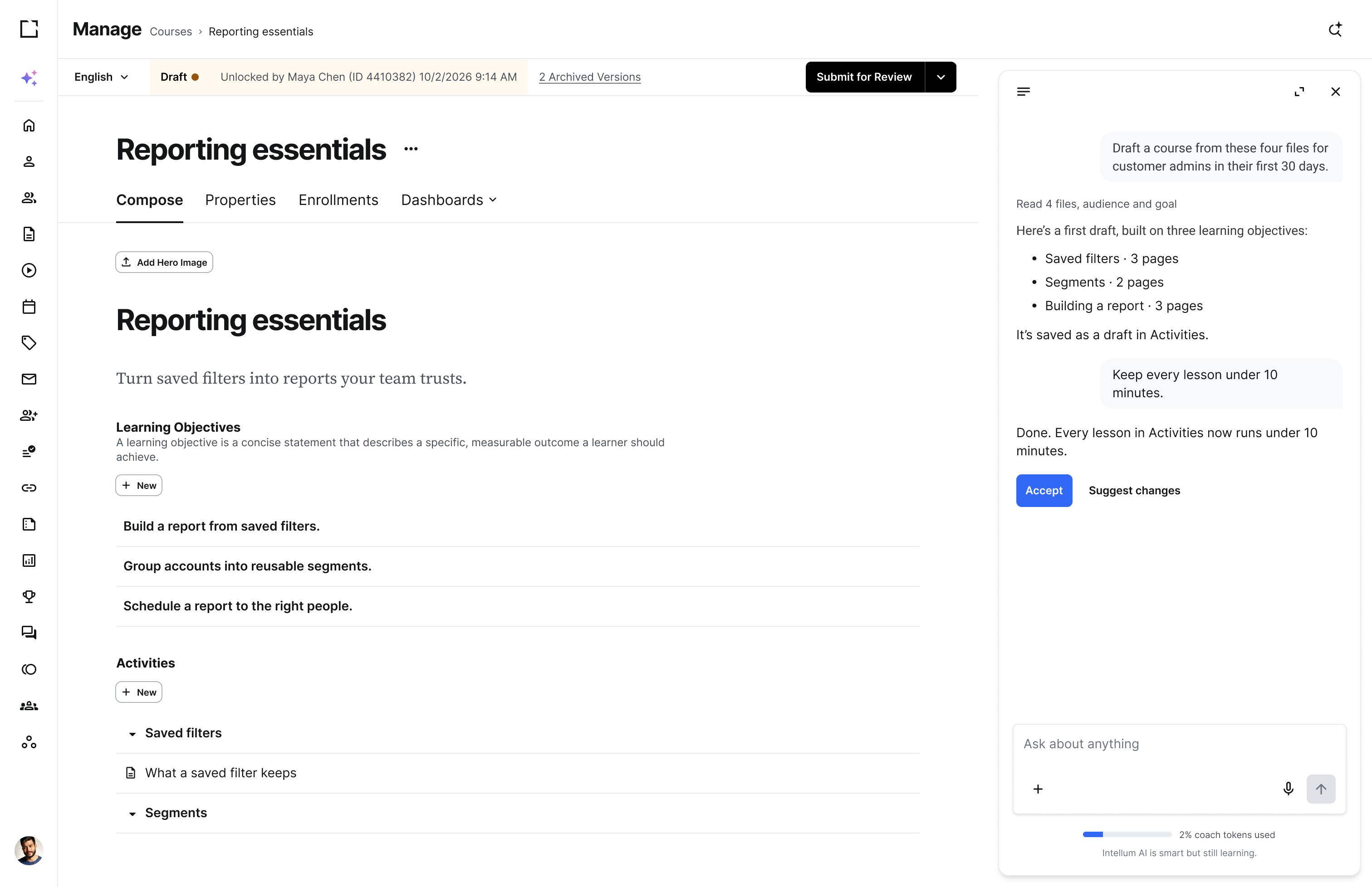
Turn “see attached” into a course.
Before, a course began with whatever subject experts attached, sorted by hand into objectives and an outline. Now creators begin with a draft built on those objectives and spend their expertise making it accurate, useful and theirs.


Here are three objectives based on your source files, audience and goal:


Ask for the draft you’d have built yourself.
Author in Evolve or begin with a Creator Agent draft. Either way, you have the final word.
Three objectives from Webinar_notes.txt:
Edit or accept them, and I’ll outline from there.
Five sections from Reporting_SOP_v7.pdf, each tied to an objective:
Want me to add them to Activities?
Three pages for Scheduling a report:
Those pages have been drafted. Let me know if you want any changes.
Rewritten for admins in their first week, with shorter sentences and every term explained the first time it appears.
Page 1 has been rewritten in your course. Let me know if you want any changes.
Every page traces back to an objective.
Creator Agent works from the files, goal and audience a creator provides and writes learning objectives before anything else. Its outline and page text build on those objectives, so creators review a draft with a clear instructional spine.
Objectives first, so every page has a job:
Want changes?
Here’s the outline. Every section ties back to one of your objectives:
Add it to the course?
Draft in your AI tool. Publish it in Intellum.
With the Creator MCP connector, creators draft course pages in Intellum from Claude, Gemini or Copilot with their own permissions. Every draft waits until a creator publishes it.
Signs in as the creator · Works within the roles you assign · Third-party models never train on your files

Creators stay in charge of every draft.
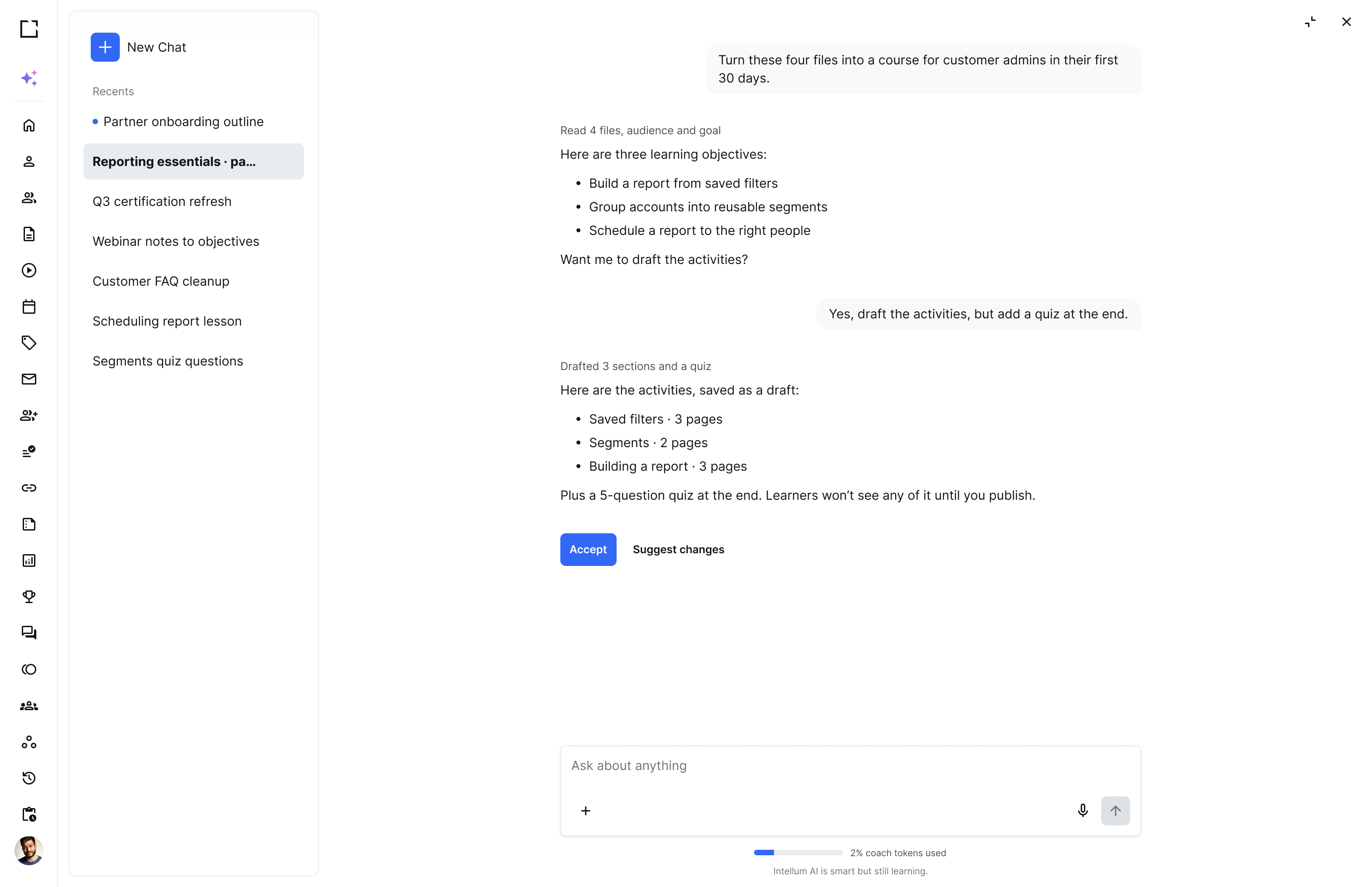
Learners see nothing until a creator publishes it.
Edited before publishing
So nothing reaches learners until a creator edits and publishes it.
Your permissions apply
So creators draft and edit only where their Intellum role allows.
No model training
So third-party models may not train on your source files.
US AI processing
So every AI request is processed in US data centers.
You own the data
So you control every file creators upload, backed by GDPR commitments.
No outside links
So generated drafts never embed links to sites outside your course.
Enterprise security is at the core of Intellum.

SOC 2 Type II
Controls audited by an independent CPA firm.

WCAG 2.1 AA
Every Level A and AA criterion supported, documented in our VPAT.

HIPAA
Safeguards confirmed by third-party attestation.

EU-U.S. DPF
Certified participant in the Data Privacy Framework.
Creator Agent FAQs
Give it a goal, an audience, a difficulty level and up to ten PDF or video files, or courses already in your catalog. Creator Agent suggests learning objectives first, then a lesson plan, page text, section quizzes and a final assessment. Creators revise or accept each step before the next, then add visuals in Evolve or the page builder and check accuracy before publishing.
Close enough to edit. The draft follows instructional design practice: objectives first, then an outline and page text written for the audience you named. Creators refine the draft for accuracy, voice and the examples their subject experts know best. Nothing publishes until a creator reviews and publishes it.
Intellum hosts customer data on AWS in the US, or in Ireland for European customers, encrypted with AES-256 at rest and 256-bit TLS in transit, and processes AI requests in the US. Third-party models may not train on customer data, AI use is clearly marked, and you own and control everything your creators upload.
Yes. With the Creator MCP connector, creators draft page activities inside their Intellum courses from approved AI tools, including Claude, Gemini and Copilot. They sign in as themselves, so the AI tool can do only what their Intellum role allows. Their drafts appear in Intellum ready to review.
Open Creator Agent in the LMS and name the goal, the audience and the difficulty. Add up to ten PDF or video files, or courses already in your catalog. Approve the objectives it suggests, then the lesson plan, then the page text, quizzes and final assessment. Add visuals, check accuracy and publish.
Creator Agent is the AI course creator. It turns source files into objectives, a lesson plan, page text and assessments for creators to review. Evolve is where creators author beautiful interactive courses, and a reviewed draft can take its visuals there before it publishes.
Now hand it off.
Learner Agent
Learners get answers from the courses you build, with the lesson linked.
Manager Agent
Admins run enrollments, groups and reports by asking, inside their own permissions.
“Our SOPs too?”
Bring the folder to the demo.
You’ll see objectives first, then an outline and page text you can edit.