Learner Agent · AI tutor
“Who knows how to…?”Lesson 4 does.
Ask in your own words and get answers from the courses you can open, explained for your job. Miss a question and you’ll know why before the retake.
Answers from their courses · No model training
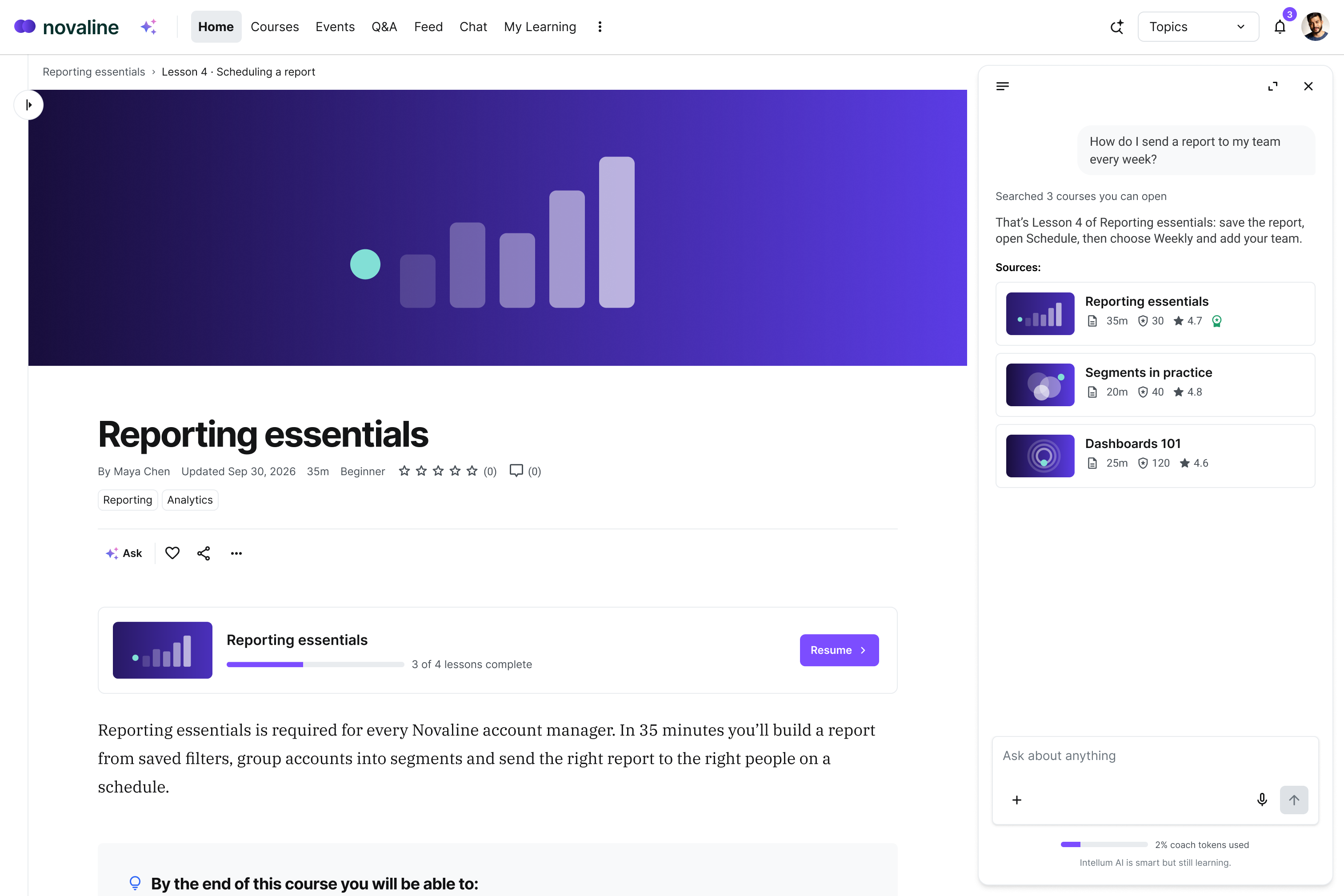
Questions the course covers stop becoming tickets.
Before, a question mid-task meant a support ticket, a guess or a message to an expert. Now learners get the answer from the course you already built, with the lesson linked, and your experts stop answering it twice.
Anyone know how to schedule a report? Need it for Monday.
Hi Sam, how do I get a report to send every week? Sorry if you’ve answered this before.
Sorry to bug you again. Where’s the schedule option?

Save the report first, then open Schedule:
From Reporting essentials, Lesson 4:



Ask what you’d never ask in a meeting.
Browse the catalog or ask Learner Agent. Either way you choose what to learn next.
Start with Reporting essentials. It’s required for your role, and the other reporting courses build on it.

A segment is a saved group of accounts that share something, like region or plan. For your team, that might be every EMEA customer on the Pro plan.
More in Lesson 2:

Question 4 asked which filter keeps a report current. You picked a date range, but a saved filter updates on its own. That’s this objective:
Review this before your retake:

Open the saved report, choose Schedule, then pick how often it sends.
Step by step in Lesson 4:
Every answer shows its work down to the lesson.
Answers come only from courses each learner can open, and every claim is checked against them before it appears. Each answer links to its lesson. When the courses don’t cover a question, the learner is told plainly.
Yes. Add both regions to the segment’s rules, and it updates on its own.
From Lesson 2:
Your courses don’t cover exporting to Tableau, so I won’t guess. Your Fieldbook admin can help with that.
Your courses answer inside the tools people already use.
With the Learner MCP connector, learners ask Claude, Gemini or Copilot about courses they can open, and you can build the same answers into your own product.
Signs in as the learner · Reaches only the courses your access rules allow · Assessments stay in Intellum

Admins switch AI on, group by group.
Each answer comes only from the courses that person can open.
Their access, nothing more
So answers come only from courses learners can already open.
No model training
So third-party models may not train on learner questions.
US AI processing
So every AI request is processed in US data centers.
You own the data
So you control learner records, backed by GDPR commitments.
Harmful requests declined
So harmful or explicit requests get declined and steered back to learning.
Your existing sign-in
So learners sign in through SAML, OpenID Connect, OAuth or LDAP.
Enterprise security is at the core of Intellum.

SOC 2 Type II
Controls audited by an independent CPA firm.

WCAG 2.1 AA
Every Level A and AA criterion supported, documented in our VPAT.

HIPAA
Safeguards confirmed by third-party attestation.

EU-U.S. DPF
Certified participant in the Data Privacy Framework.
Learner Agent FAQs
Learner Agent works in three places. In search, learners describe what they need in their own words and get courses and topics to explore. Inside every course, it sums up a lesson and applies it to the work in front of them. After an assessment, it shows what they missed and the lesson to revisit before a retake. Every answer links back to its lesson.
No. Third-party models may not train on customer data, and AI use is clearly marked, with opt-in or opt-out controls where applicable. Intellum hosts on AWS in the US, or in Ireland for European customers, with AES-256 encryption at rest and 256-bit TLS in transit, and processes AI requests in the US. You own and control your customer data.
Yes. With the Learner MCP connector, learners can ask approved AI tools, including Claude, Gemini and Copilot, about their Intellum courses. They sign in as themselves, so the AI tool reaches only courses they can open in Intellum, under the same access rules they have in the platform.
An AI tutor answers a learner’s questions in the moment and points them to what to study next. Learner Agent does this inside the LMS, answering only from the courses each learner can open and linking every answer back to its lesson.
Every answer has a backstory.
Creator Agent
Creators turn expert files into the courses learners ask about, objectives first.
Manager Agent
Admins run enrollments, groups and reports by asking, inside their own permissions.
“Our courses too?”
Bring one to the demo.
You’ll see it answer from that course, link the lesson and decline to guess.